For air conditioning, heating, electrical, solar and maintenance.
Software for trade businesses in the field
From inquiry to digital service book: offers, orders and scheduling in the office, the iPhone app for your technicians and a portal for your customers. All in one place.
Access on request · try free for 14 days · then an individual offer
For the office: every order in one place
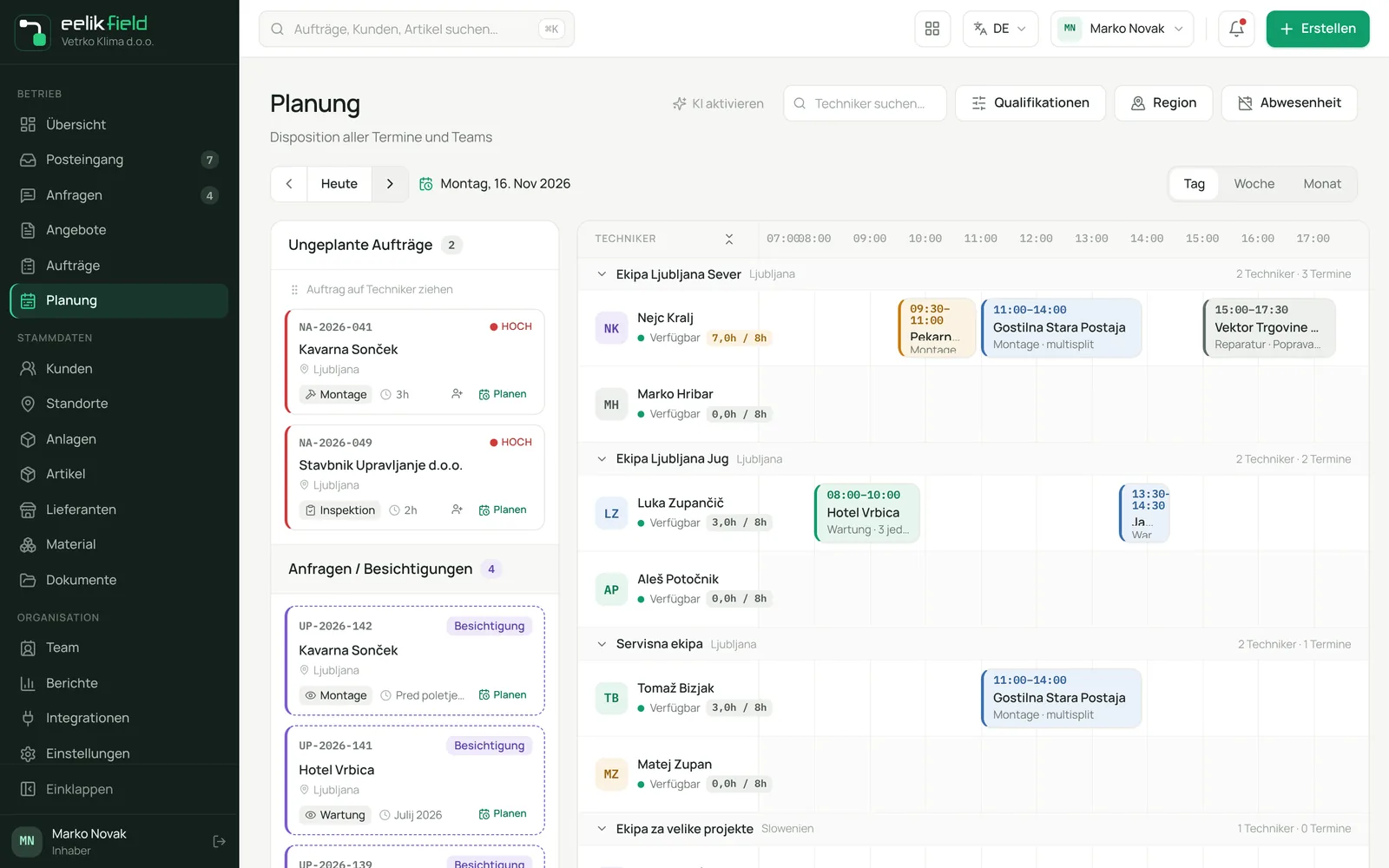
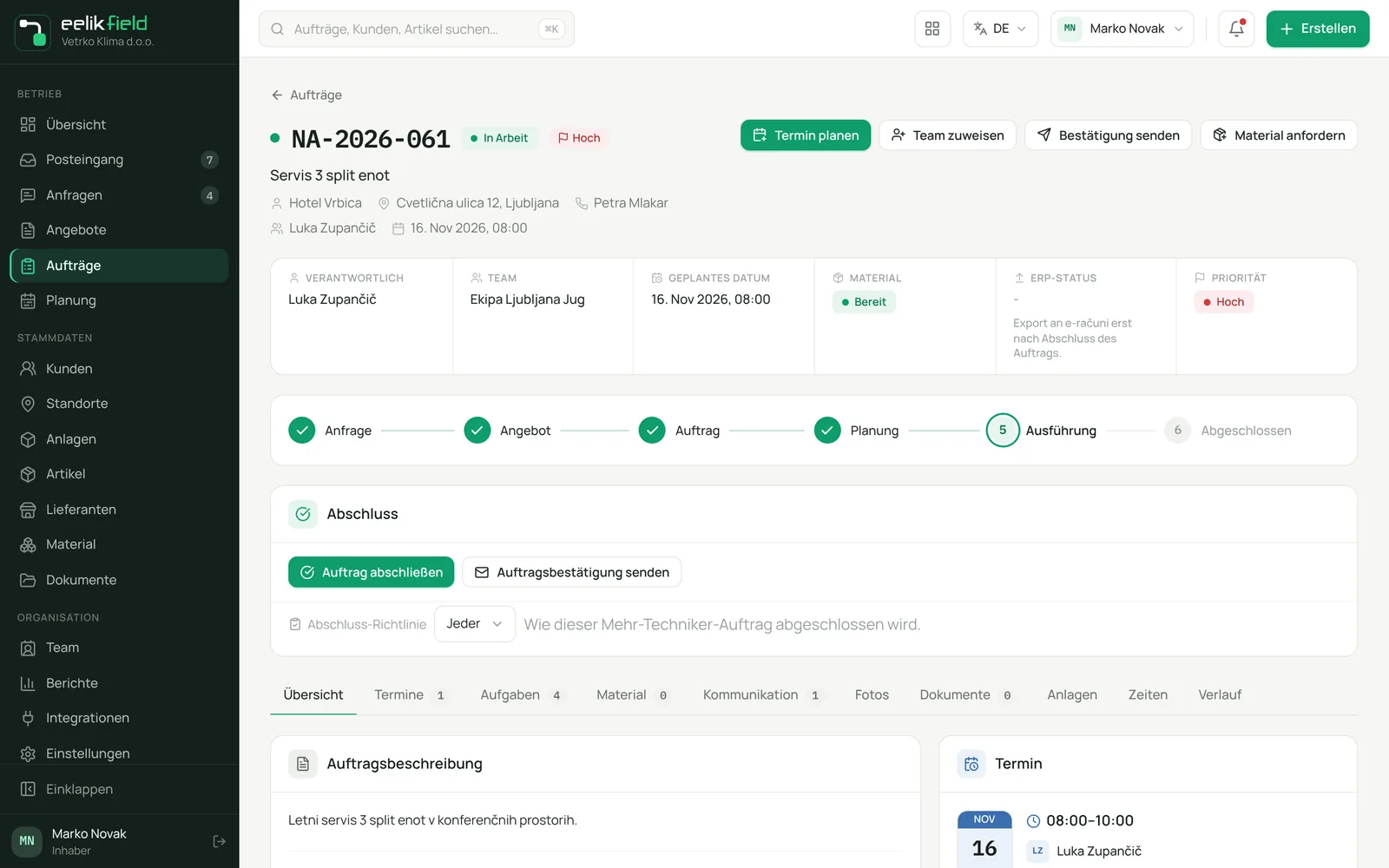
Inquiry, offer, order and appointment are connected. You always see what is open, who goes where and when, and which material is missing.
- Record inquiries and turn them into offers with line items, options and a PDF.
- Run orders with a clear status, required checklists and material.
- Drag appointments onto teams and technicians on the planning board and see overlaps at once.
- Review finished orders internally before you close them.
For technicians: the iPhone app
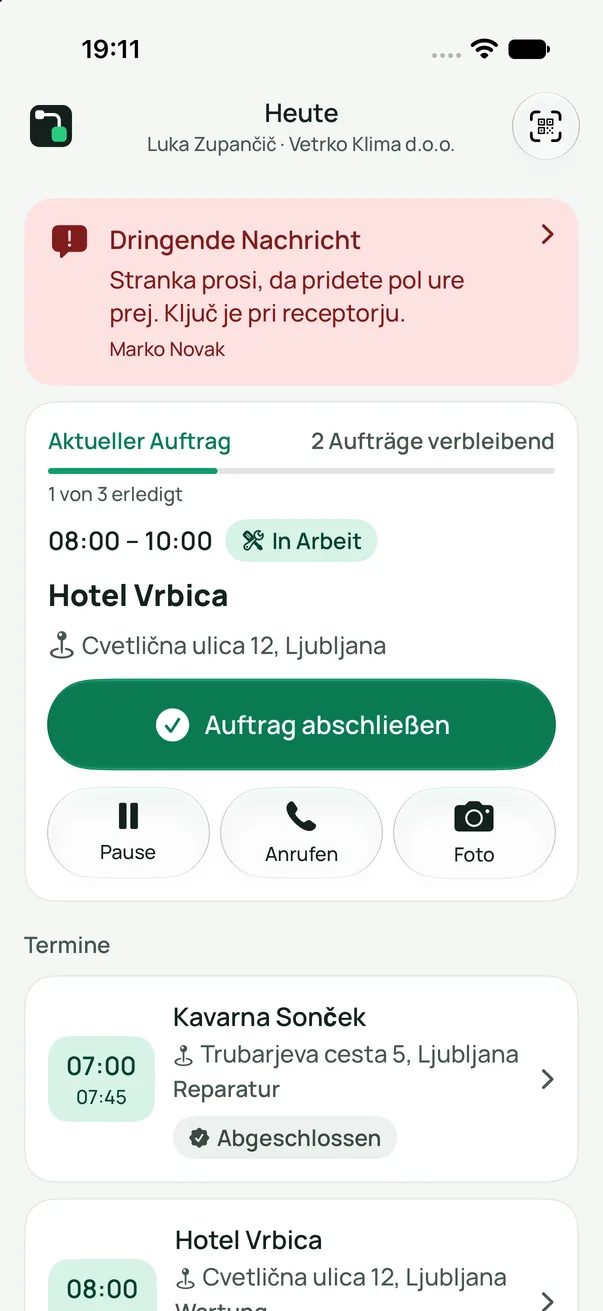
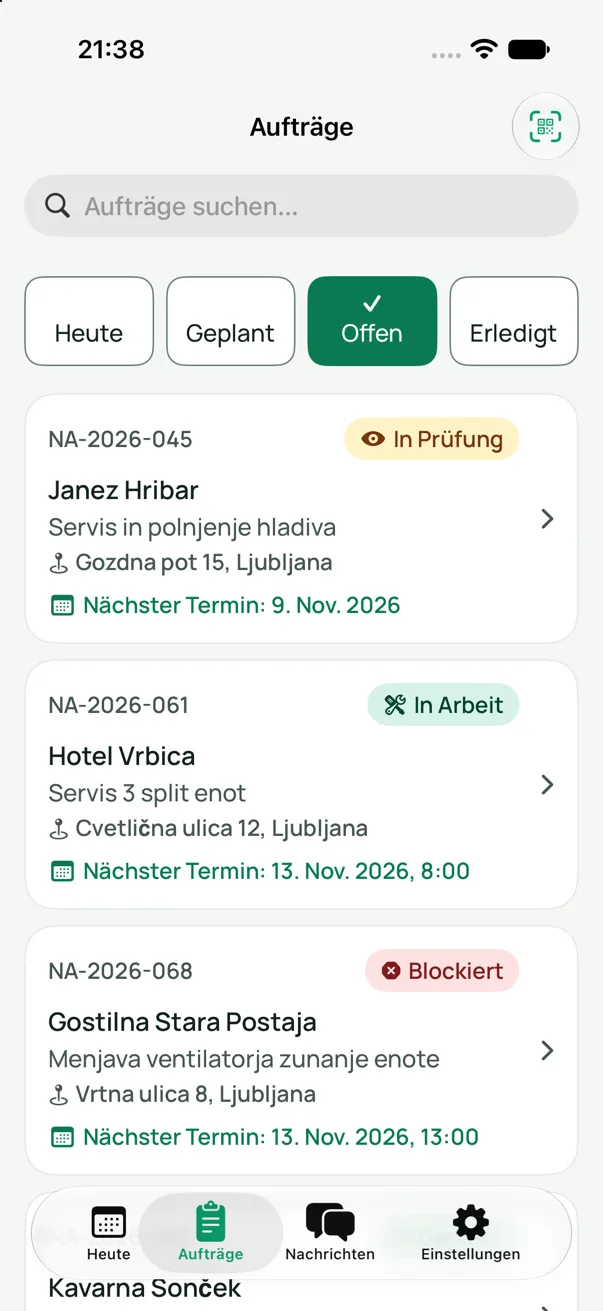
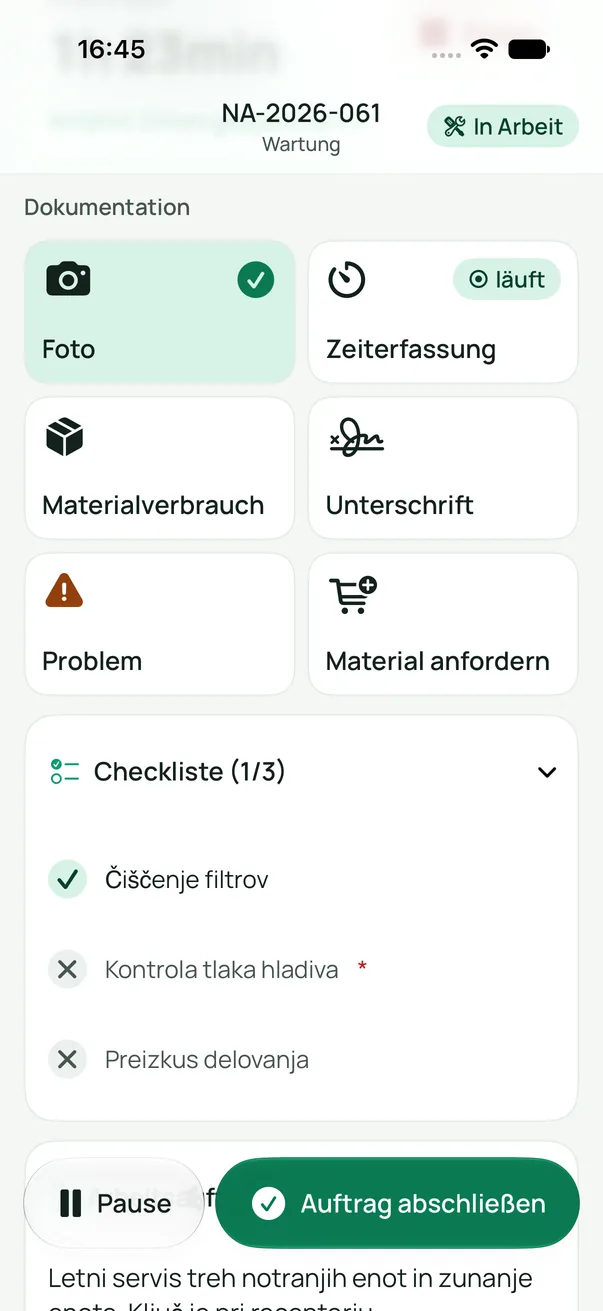
Your technicians see their appointments in the morning and finish the paperwork right at the customer's site.
- Appointments of the day with address and order details.
- Photos, working time and material used.
- Checklist, problem reports and material requests.
- The customer's signature directly on the iPhone.
Setup without a password
The office creates a QR code or a link for each technician. The technician scans the code with the iPhone and the app is set up. No password is needed for this.
Coming soon to the App Store
For your customers: a portal without an account
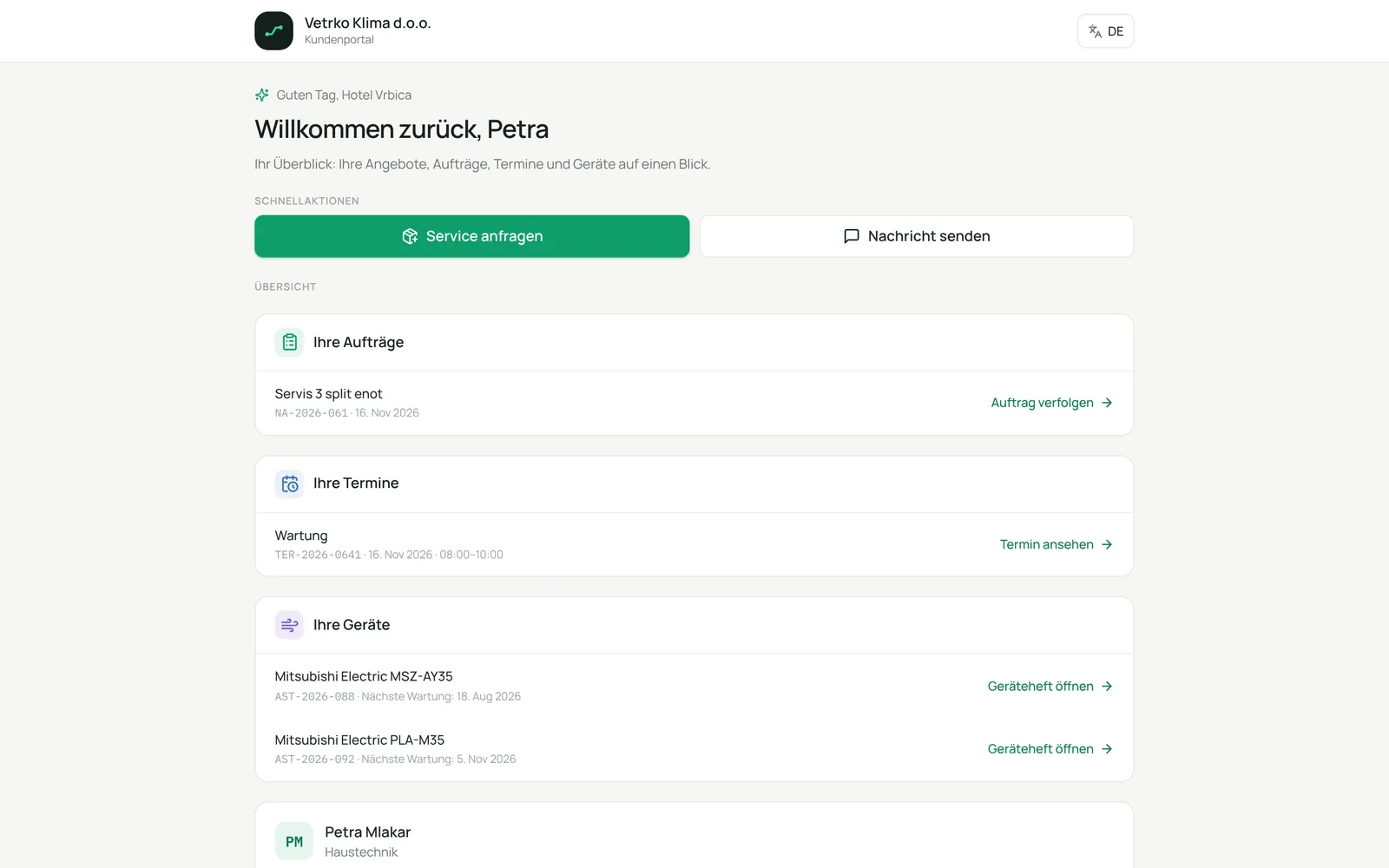
Your customers open a personal link. They do not have to register or remember a password.
- View offers and accept them online.
- Follow appointments and the status of the order.
- The service book of every device: history, warranty, next maintenance.
- Scan the QR sticker on the device and request service.
From inquiry to service book
Six steps, one continuous flow. Nothing gets lost.
1Inquiry
The customer gets in touch. The office records the inquiry.
2Offer
You write the offer, the customer accepts it online.
3Order
The offer becomes an order with checklist and material.
4Planning
You set the appointment, the team and the technician.
5Execution
The technician documents the work on site with the iPhone.
6Service book
Every device keeps its history and its next maintenance.